Dark room · nearby face
Start: Night-Out Highlight Bloom
InspectForehead, cheeks and white clothing
First moveLower Bloom before reducing color.
Build the look instead of accepting a mystery preset. Start with a scene or era, then watch grain, softness, color, bloom and edge separation change your photo in the local preview.
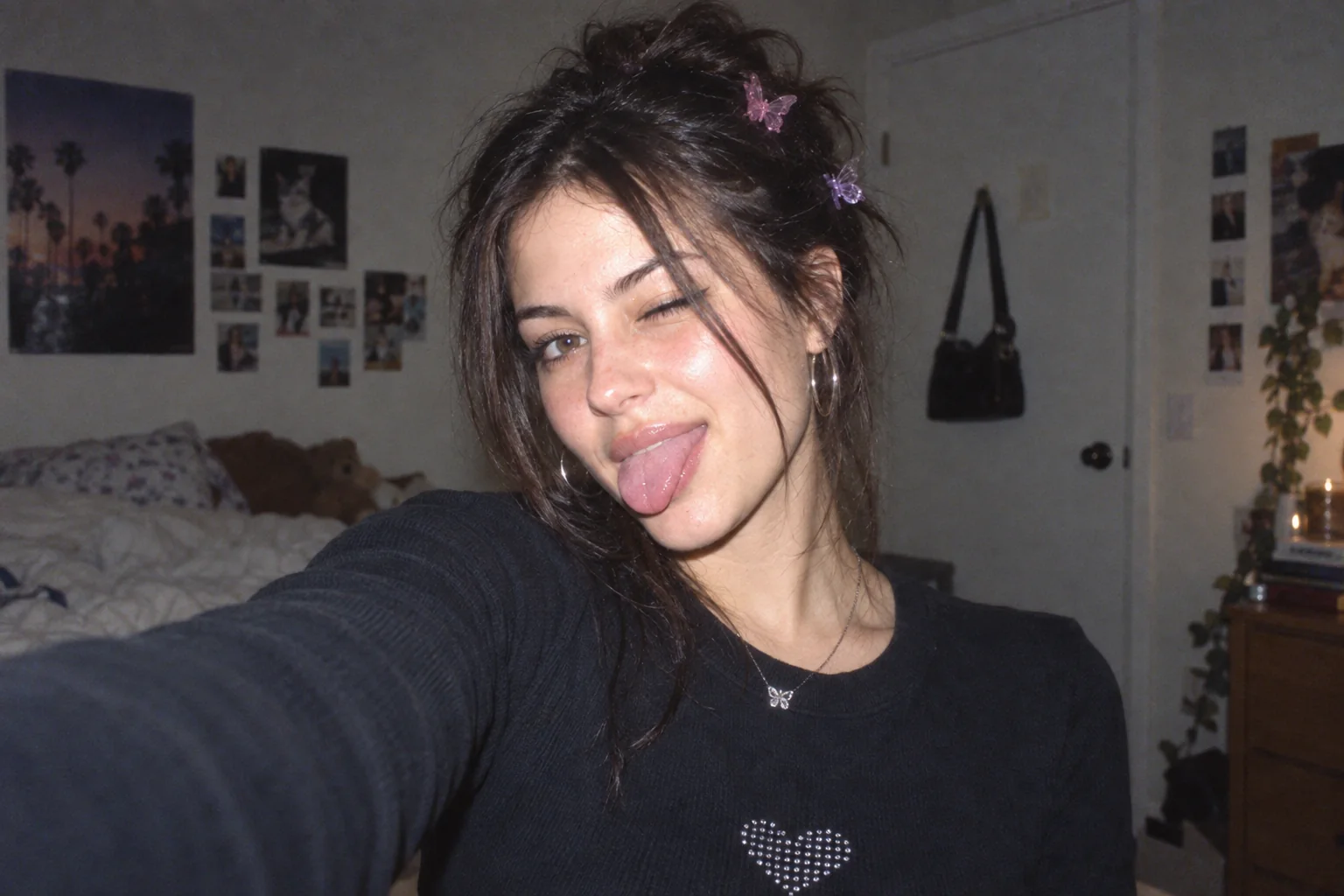 Original2002 Café Warmth
Choose a photo to start editing.
This tab can keep your photo across effects for up to 24 hours on this device. Clear local photo deletes the stored copy.
Sample photo
WebP · no watermark · up to 1080px wide
JPG uses a white background for transparent pixels.
Loading the sample photo.
Your photo stays in this browser. Nothing is uploaded. Current exports are for personal use. Product facts & privacy · Preset settings guide
Start with what is in the frame, not a camera brand. Apply the closest recipe, then inspect the part of the photo most likely to break.
Start: Night-Out Highlight Bloom
InspectForehead, cheeks and white clothing
First moveLower Bloom before reducing color.
Start: 2002 Café Warmth
InspectSkin midtones and shadow detail
First moveAdjust Warmth, then Grain.
Start: 2006 Blue-Hour Fringe
InspectCloud gradients, leaves and bright edges
First moveReduce Aberration if edges split too far.
Start: 2010 Soft Phone Photo
InspectEyes, hair and background texture
First moveSet Softness before adding more Grain.
“Sensor Behavior Lab” describes the testing workflow, not a calibrated camera simulation. Keep the other controls still, compare the two values, and judge the named part of your own photo.
Use Night-Out Highlight Bloom when the subject is close and the background is dark. Its visible moves are brighter highlights, firmer shadows and a controlled halo.
Bloom 32 · Highlights 62 · Shadows 46
Use 2006 Blue-Hour Fringe when daylight color and reflective edges matter more than flash. Tune color before increasing bloom.
Warmth 41 · Saturation 72 · Aberration 14
6 → 28
Watch window edges, jewelry and pale fabric develop a halo; stop before facial highlights merge.
40 → 68
Watch neutral walls and skin move from cooler to warmer without changing texture.
10 → 32
Watch eyelashes, hair and lettering lose fine detail while the overall shape stays intact.
16 → 48
Watch smooth shadows and skies gain texture; check small faces before going higher.
4 → 16
Watch high-contrast edges separate slightly; keep it low around text and architecture.
Every preset exposes the same four key settings for quick comparison. Apply one, then open More adjustments in the editor for contrast, tint, highlights, shadows, vignette, aberration, fade and the date stamp.
Warms skin and midtones while keeping bloom restrained and grain fine.
Softens fine detail, mutes color and adds visible grain without heavy bloom.
Cools the color balance, brightens highlights and separates high-contrast edges slightly.
Pushes close highlights into a soft halo while keeping color vivid and shadows firm.
Lowers contrast, lifts dark tones and softens fine detail for gentler window light.
Raises saturation and contrast with moderate grain and small color-edge separation.
Brightens close highlights, darkens corners and turns on the orange date stamp.
Warms the frame, lifts blacks and adds a date stamp with moderate corner shading.
Adds crisp color contrast, visible grain and softened edge detail.
Makes grain the dominant change while keeping bloom, saturation and edge separation quiet.
Strengthens color and contrast with obvious dark corners and slight edge separation.
Lifts dark tones, lowers contrast and softens detail with very little bloom.
Pairs strong highlight lift with corner falloff, grain and an orange date.
Cools the frame, raises saturation and adds a restrained halo around bright edges.
Softens fine detail, mutes color and warms skin with moderate grain.
Lifts nearby faces and highlights, warms skin and adds mild glow with soft detail.
These are creative ranges for organizing the controls. They are not measurements from a named camera or a promise of sensor accuracy.
| Direction | Visible target | Inspect before export | Try these controls |
|---|---|---|---|
| 1997–2003 Direct flash | Bright nearby subjects, warm indoor color and visible texture. | Skin highlights, white clothes, dark corners and the optional date. | Highlights 58–64 Bloom 20–26 Grain 26–34 Date optional |
| 2004–2008 Cool color | More saturated color, cooler balance and a restrained bright-edge halo. | Reflective edges, blue sky, signs and color around fine lines. | Bloom 10–16 Aberration 10–16 Warmth 38–44 Grain 18–26 |
| 2009–2012 Soft phone photo | Softer detail, quieter color and moderate texture. | Eyes, hair, lettering and small faces before increasing softness. | Grain 35–45 Softness 25–35 Warmth 55–62 Saturation 40–48 |
The same generated portrait is rendered with four deliberately different recipes: flash bloom, cool edge color, early-phone softness and grain-led texture. These are tool examples, not customer images.
Original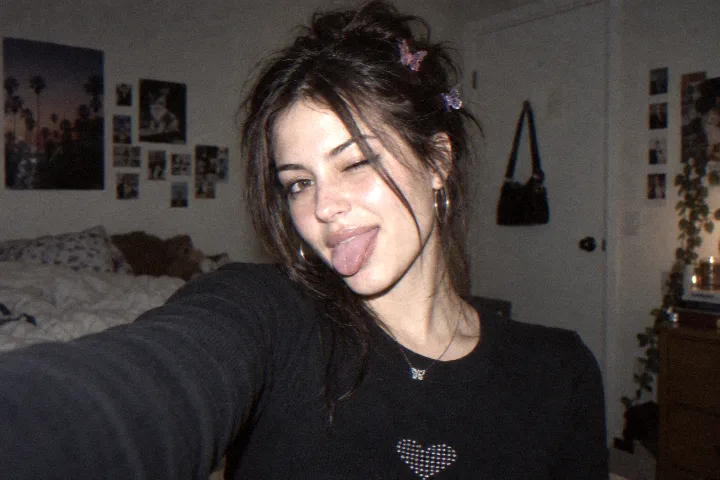 Night-Out Highlight Bloom
grain: 24; softness: 12; contrast: 62; saturation: 70; warmth: 54; tint: 50; highlights: 62; shadows: 46; vignette: 6; aberration: 6; fade: 2; bloom: 32; dateStamp: false
How to adjust these settingsOriginal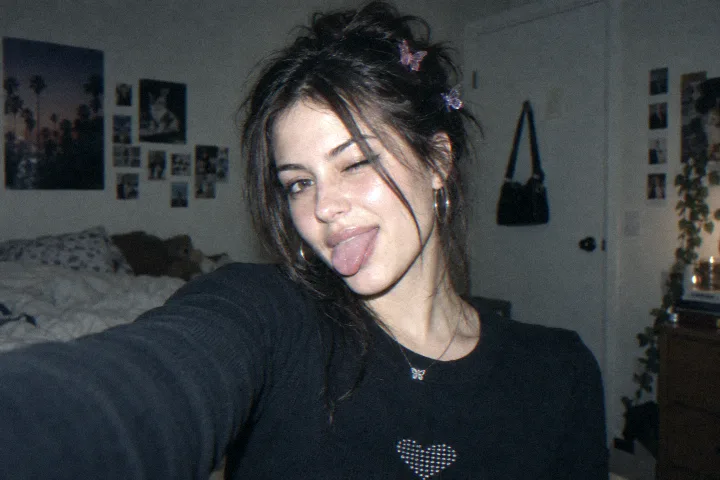 2006 Blue-Hour Fringe
grain: 22; softness: 12; contrast: 60; saturation: 72; warmth: 41; tint: 47; highlights: 56; shadows: 48; vignette: 6; aberration: 14; fade: 3; bloom: 14; dateStamp: false
How to adjust these settingsOriginal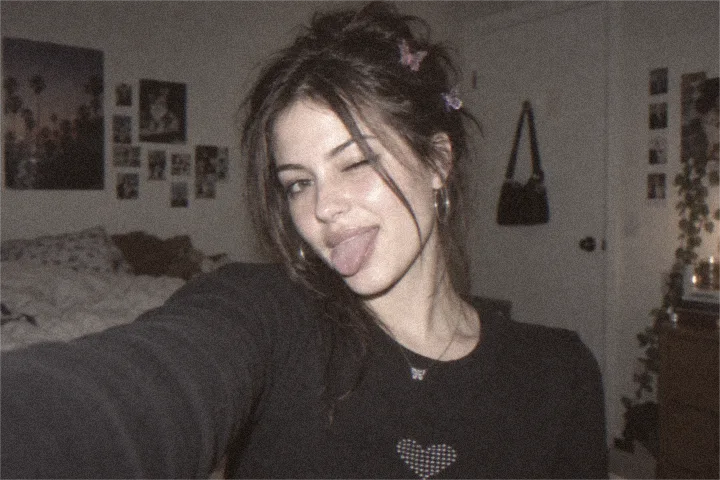 2010 Soft Phone Photo
grain: 40; softness: 31; contrast: 46; saturation: 45; warmth: 59; tint: 51; highlights: 48; shadows: 57; vignette: 5; aberration: 3; fade: 11; bloom: 8; dateStamp: false
How to adjust these settingsOriginal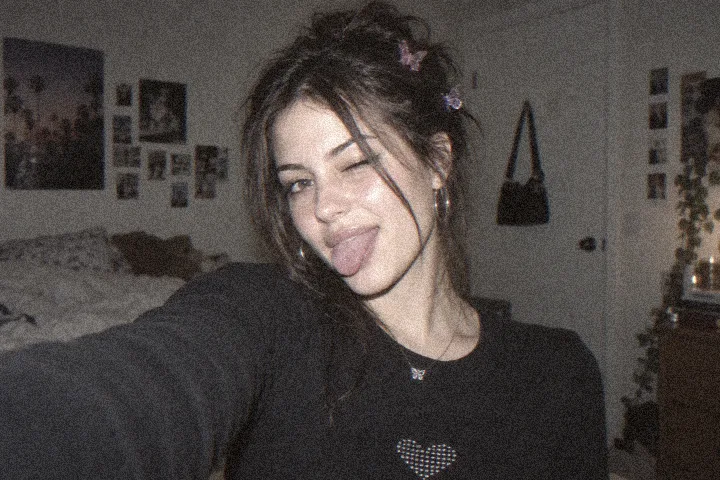 High-ISO Texture Study
grain: 68; softness: 12; contrast: 50; saturation: 52; warmth: 55; tint: 50; highlights: 49; shadows: 54; vignette: 8; aberration: 4; fade: 12; bloom: 5; dateStamp: false
How to adjust these settingsSoftness creates the older-camera feel; it does not need to erase every edge. Compare eyes, text and hair first, then add Grain and Bloom independently. Free downloads retain up to 1080px width rather than deliberately shrinking the file to an early-camera resolution.
The editor runs in this browser, and your photo stays on this device while you work. Current presets, controls and no-watermark downloads are available without an account; the shared daily export allowance still applies.
Choose, drop or paste a JPG, PNG or WebP up to 5 MB. The editor decodes it on this device.
Start with the closest lighting and subject, compare the original, and check faces, text, fine edges and bright objects.
Tune one visible behavior at a time, then download a no-watermark image up to 1080px wide within the daily free allowance.
This lab turns grain, softness, color, bloom and edge separation into visible, reproducible choices. Its era labels are creative directions, not reconstructions of specific cameras or sensors. For a faster whole-decade recipe, use the 2000s photo editor. If the goal is inverted color rather than a camera-era treatment, open the negative filter online.
Choose 1997–2003 for direct flash, warmer interiors and an optional date stamp; 2004–2008 for cooler color, stronger saturation and bright-edge bloom; or 2009–2012 for softer detail and more restrained color.
For a nearby person in a dark room, begin with Night-Out Highlight Bloom and inspect skin highlights before raising Bloom. For daylight, signs or reflective surfaces, begin with 2006 Blue-Hour Fringe and tune Warmth, Saturation and Aberration separately. These are artistic controls, not a reconstruction of a specific camera or sensor.
Start with a low Softness value, inspect eyes, text and fine edges in Compare mode, then add Grain or Bloom independently. The filter changes the look without intentionally reducing the image to an old camera’s pixel dimensions; free exports remain limited to 1080 pixels wide.
Yes. This digital camera website filter runs in a modern browser. Add a JPG, PNG or WebP, edit it locally and download the result without installing a digicam app or creating an account.
No. It is a creative look lab with transparent controls for grain, softness, color, bloom and edge separation. The era labels organize useful starting points; they do not claim to reproduce a particular camera model or sensor.
Yes. Add a photo from a current phone and choose an era or scene starting point. The effect is rendered locally in this browser.
Yes. All current presets and controls are free to use in your browser.
No. We never add a watermark to your downloaded photo.
No. Your photo is decoded, edited and exported on your device; the image is not uploaded to an image-processing server.
No. Use a modern desktop or mobile browser without installing an app or creating an account.
Photo exports are up to 1080 pixels wide. Original designs export at 1080 × 1080, 1080 × 1920 or 1920 × 1080. All tools, including sample downloads, share five exports per UTC day with no watermark.
Choose, drop or paste a JPG, PNG or WebP image up to 5 MB. The editor reads it locally in your browser.
Current free exports are for personal use. A commercial license is planned and is not available yet.
Yes. Choose another preset, change the controls or use Reset adjustments before downloading. Your original photo is kept for comparison in the editor.
Every current effect and preset is free to use. Downloads have no watermark. Photos export up to 1080px wide; desktop designs export at 1920 × 1080. All tools share a limit of 5 exports per UTC day. Pro is not available yet.
| Capability | Free | Pro (coming soon) |
|---|---|---|
| Photo effects & presets | All available presets | No paid preset is live |
| Image exports | Photos up to 1080px wide; desktop designs 1920 × 1080 | Original-size export · Coming soon |
| Daily export allowance | 5 exports · resets at midnight UTC | Not available yet |
| Batch processing | One image at a time | Coming soon |
| Video filters | Photo editing | Coming soon |
| Saved presets | Built-in and locally saved presets | Shared presets · Coming soon |
| Commercial use | Personal use | Commercial license · Coming soon |
No account or payment is needed for free editing. Paid features and the waitlist are not open yet.
Pro is a plan, with no active signup or checkout.
Share the browser editor on a compatible site. Photos are still processed on the visitor’s device.